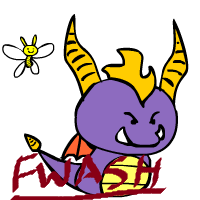
AAAAAAAAAAAAAAAAAAAAAAAAAAAAAAAAAAAAAAAAAAAAAAAAAAAAAAAAAAAAAAAAAAAAAAAAAAAAAAAAAAAAAAAAAAAAAAAAAAAAAAAAAAAAAAAAAAAAAAAAAAAAAAAAAAAAAAAAAAA....................SPARKS IS DOING IT TOO...*Q*
Okay, then forget it! xD And I've got also another tip to you: I've seen the same thing at many flash animators, and you seem to do the same "mistake". If you do a motion tween and click on the arrow in the timeline, on the bottom window there'll be the frame's properities, and in the 2nd column there is an "edit" button. click on it, and then the time-frame function appears. Edit the function by clicking and dragging the lines and try to do a shape like this: [link] This function is a half period of the sine wave, which is an oscillating movement (like e.g. bungee jumping). It'll make your tween look more natural, because Spyro will slow down first before changing direction. I hope I was clear (but if you're familiar with maths or physics, you'll understand it in no time)
I haven't had any classes with Flash yet, I can only do the stuff I've figured out on my own, so that makes no sense to me actually D: I am supposed to be working with the line movement in 3DS Max for 3D animation, so i have seen that before, but I just haven't been able to grasp how it works yet. I did notice that the tweens seem to change pace like that, slowing down at the beginning and end of the tween.
It's really easy to do if you've done that once. I'd like to show, but I don't really know how. I've got a livestream account, but I've never used it yet actually, so..yeah Unfortunately I haven't got much experience with 3DS Max. As far as I can understand your words, you learn animating at school, right?
im dying...............
This is really cute
[link]
And I've got also another tip to you: I've seen the same thing at many flash animators, and you seem to do the same "mistake". If you do a motion tween and click on the arrow in the timeline, on the bottom window there'll be the frame's properities, and in the 2nd column there is an "edit" button. click on it, and then the time-frame function appears. Edit the function by clicking and dragging the lines and try to do a shape like this: [link]
This function is a half period of the sine wave, which is an oscillating movement (like e.g. bungee jumping). It'll make your tween look more natural, because Spyro will slow down first before changing direction.
I hope I was clear (but if you're familiar with maths or physics, you'll understand it in no time
I did notice that the tweens seem to change pace like that, slowing down at the beginning and end of the tween.
Unfortunately I haven't got much experience with 3DS Max. As far as I can understand your words, you learn animating at school, right?